Twitter Blocker
Batch block Twitter/X users with ease. Quick Block lets you block users with one click right from your timeline. Import CSV lists or search for users, then let the extension handle the rest in the background.
Powerful Blocking Features
Everything you need to manage your Twitter/X block lists efficiently
Quick Block
One-click block button on every tweet. A 3-second countdown toast gives you time to undo before the block goes through.
CSV & Official Export Import
Import user lists from CSV files or Twitter's official data export (block.js). Migrate your block list to a new account in seconds.
Background Processing
Block operations run in the background. Close the tab and come back later — it keeps working.
Auto Rate Limit Handling
Respects Twitter's rate limits by tracking requests locally and auto-waiting when limits are reached before resuming.
Privacy First
All processing happens locally in your browser. No external servers, no data collection.
Progress Tracking
Real-time progress updates with detailed status for each user — success, failed, or skipped.
Perfect For
Take control of your Twitter/X experience
Harassment Victims
Quickly block large numbers of abusive accounts. Import block lists shared by community moderators.
Community Moderators
Maintain shared block lists and help protect your community from spam and harmful accounts.
Curated Feeds
Block unwanted accounts to create a cleaner, more focused Twitter/X timeline for yourself.
Simple, Transparent Pricing
Try it free, upgrade when you need more
Free
Try the core workflow
Licensed
One-time payment · Lifetime license
Available On
Works on all major browsers — including mobile. Yes, you can use extensions on your phone!

Frequently Asked Questions
How does the blocking work?#
What happens when I hit a rate limit?#
What import formats are supported?#
CSV files with id and screen_name columns. Compatible with exports from Twitter Exporter and similar tools. Optional columns like name and profile_image_url are also supported.
Twitter's official data export — the block.js file from your downloaded archive. Go to Settings → Your Account → Download an archive of your data, then import the .js file directly.
Is my data secure?#
What's the difference between this and Mass Block Twitter?#
Mass Block Twitter is the predecessor. Its batch-blocking and rule-filtering functions were rebuilt as two focused, cross-platform (including iOS Safari) extensions: Twitter Blocker for batch blocking, and Twitter Filter for rule-based timeline filtering. The new architecture also brings background processing and automatic rate limit handling. See the full comparison.
Already paid for Mass Block Twitter? Contact support with your purchase receipt and you'll get a one-time 100% discount code for Twitter Blocker — no need to pay again.
Why doesn't the extension work on Firefox?#
There are two common Firefox-specific issues that can prevent the extension from working:
1. Host permissions not enabled
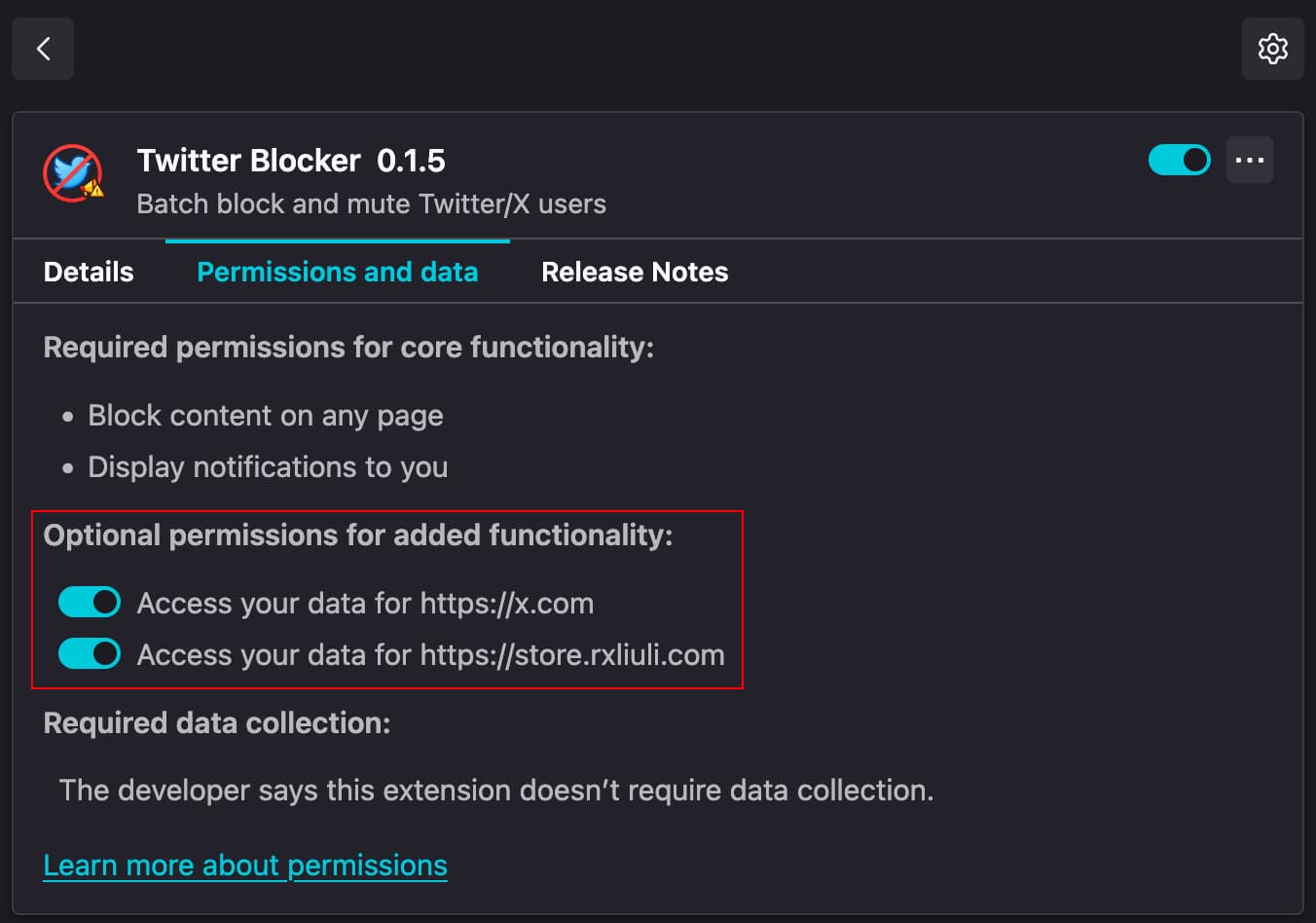
Firefox treats host permissions as optional by default, which means the extension cannot access x.com or store.rxliuli.com until you manually enable them. This causes HTTP 403 errors or "please visit x.com to refresh auth" messages. To fix this, open about:addons in Firefox, click on Twitter Blocker, then switch to the Permissions and data tab and enable both permissions.
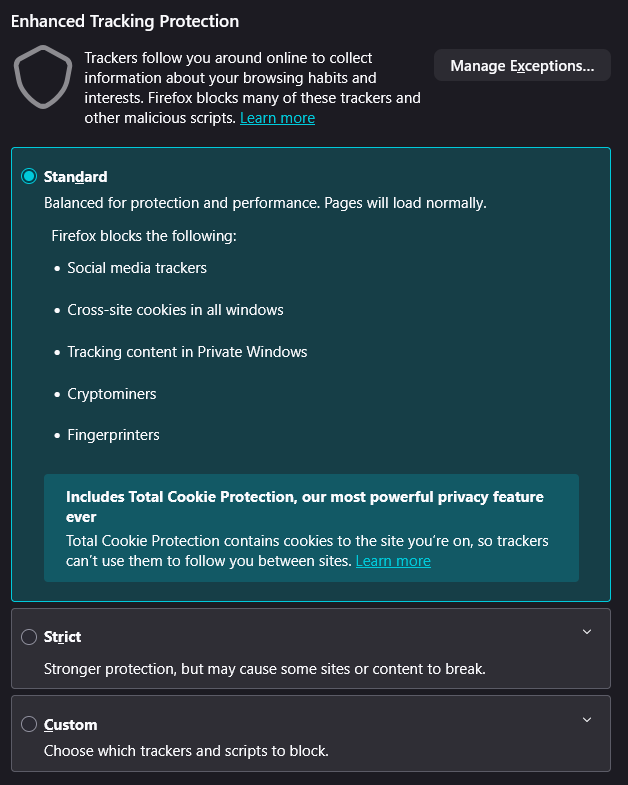
2. Enhanced Tracking Protection set to Strict
If Firefox's Enhanced Tracking Protection is set to Strict, it blocks cross-site cookies in all windows — including requests made by extensions. This prevents the extension from reading your x.com session cookies and causes "Not connected to X" or CORS errors. To fix this, go to Firefox Settings → Privacy & Security and switch Enhanced Tracking Protection from Strict to Standard, or add x.com as an exception via Manage Exceptions.